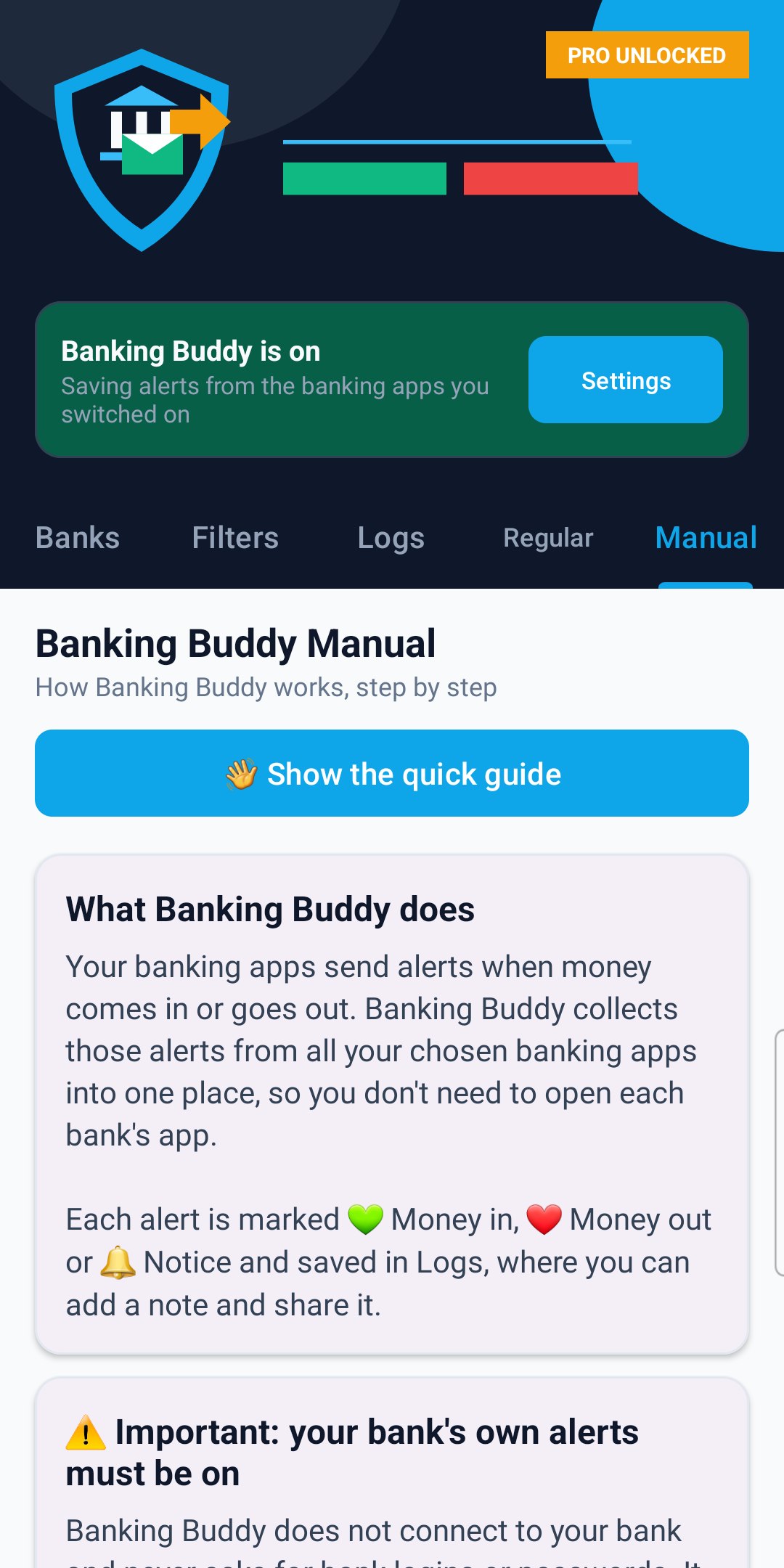
📖 Banking Buddy Manual
How Banking Buddy works, step by step
What Banking Buddy does
Your banking apps send alerts when money comes in or goes out. Banking Buddy collects those alerts from all your chosen banking apps into one place, so you don't need to open each bank's app.
Each alert is marked 💚 Money in, ❤️ Money out or 🔔 Notice and saved in Logs, where you can add a note and share it. Declined or failed payments and reminders of payments due are marked 🔔 Notice, because no money moved.
⚠️ Important: your bank's own alerts must be on
Banking Buddy does not connect to your bank and never asks for bank logins or passwords. It can only see the notifications your banking apps already show on this phone.
- Open each banking app and switch on its notifications (payment, transaction or spending alerts). Each bank names them differently.
- Also check Android allows that banking app to show notifications (Settings > Notifications).
- If your bank doesn't send an alert for something, Banking Buddy can't show it.
- Alerts that arrived before Banking Buddy was turned on can't be added.
Getting started (3 steps)
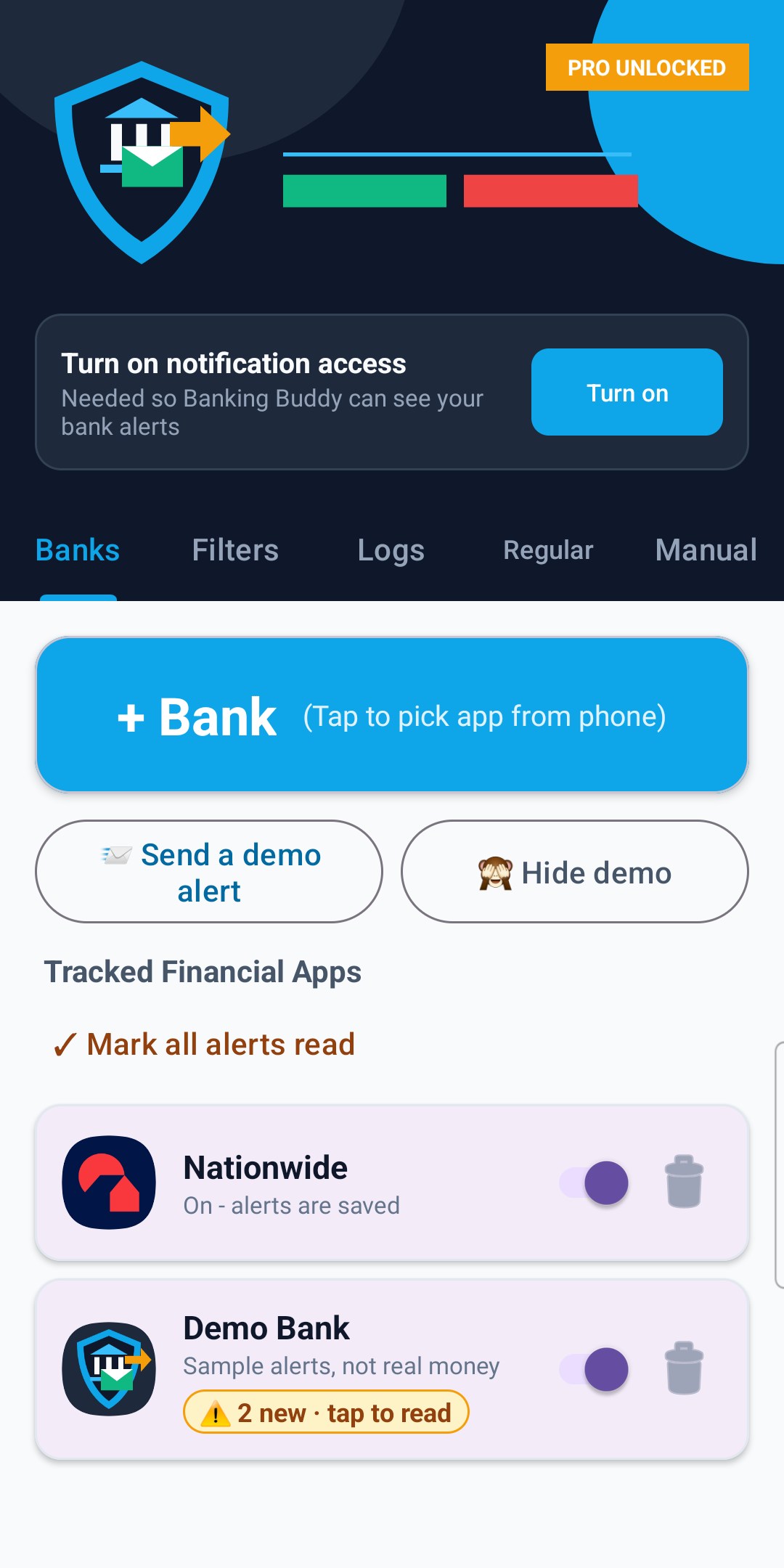
1. Banks tab: tap + Bank and pick your banking apps. Apps that look like banking apps are listed first, with their own icons.
2. Tap Turn on at the top, read the short explanation and tap Agree & continue. In Android's Notification access screen, find Banking Buddy and switch it on, then come back. The top card turns green and says "Banking Buddy is on".
3. That's it. From now on, every alert your chosen banking apps send is saved in the Logs tab.
🧪 Demo bank
Banking Buddy comes with "Demo Bank": sample alerts so you can try every feature before your own bank sends anything. They are not real money, and Logs says so while the demo is shown.
- The sample alerts are dated this month and the two months before (they refresh when a new month starts): salary, card payments, a car loan, Council Tax, a refund, a payment in dollars, a declined payment and a statement notice, with a note, a ⭐ Saved alert and two regular payments (Salary and Car loan).
- 📨 Send a demo alert (Banks tab): adds a new demo alert the same way a bank alert is saved, with the pop-up. The Demo Bank switch and your Filters apply to it too.
- The demo doesn't use any of the free places (2 banking apps, 2 regular payments), and its alerts are always shown.
- Free version: with Demo Bank selected in Logs, you can try ⭐ CSV and ⭐ Summary on the sample alerts. Today's sample alerts also start as ⚠️ new, so you can see how unread alerts are marked.
- 🙈 Hide demo (or the Demo Bank's bin) hides the demo. Your own banks and alerts are not touched. 🧪 Show the demo bank brings it back with fresh sample alerts.
Banks tab
- + Bank: pick a banking app from your phone.
- Switch: on = its alerts are saved, off = its alerts are ignored.
- Bin: removes the app from Banking Buddy (you're asked first). Alerts already saved stay in Logs.
- The free version reads 2 banking apps. Pro reads as many as you like. A bank showing "Needs Pro - alerts not being read" is over the free limit.
- ⚠️ 2 new · tap to read: new alerts you haven't looked at yet, even if you swiped the pop-up away. Tap it to open that bank in Logs. ✓ Mark all alerts read clears every ⚠️ at once.
Filters tab
Choose which alerts are saved:
- Money In, Money Out and General Bank Notices can each be switched off.
- Must Include Keywords: only save alerts that contain one of these words.
- Exclude Keywords: never save alerts that contain these words (for example Offer, Marketing).
- Switching off Enable Filtering Rules saves everything.
Tap Save Filter Settings when you're done; changes are also saved when you leave the Filters tab. Filters apply to new alerts.
Logs tab
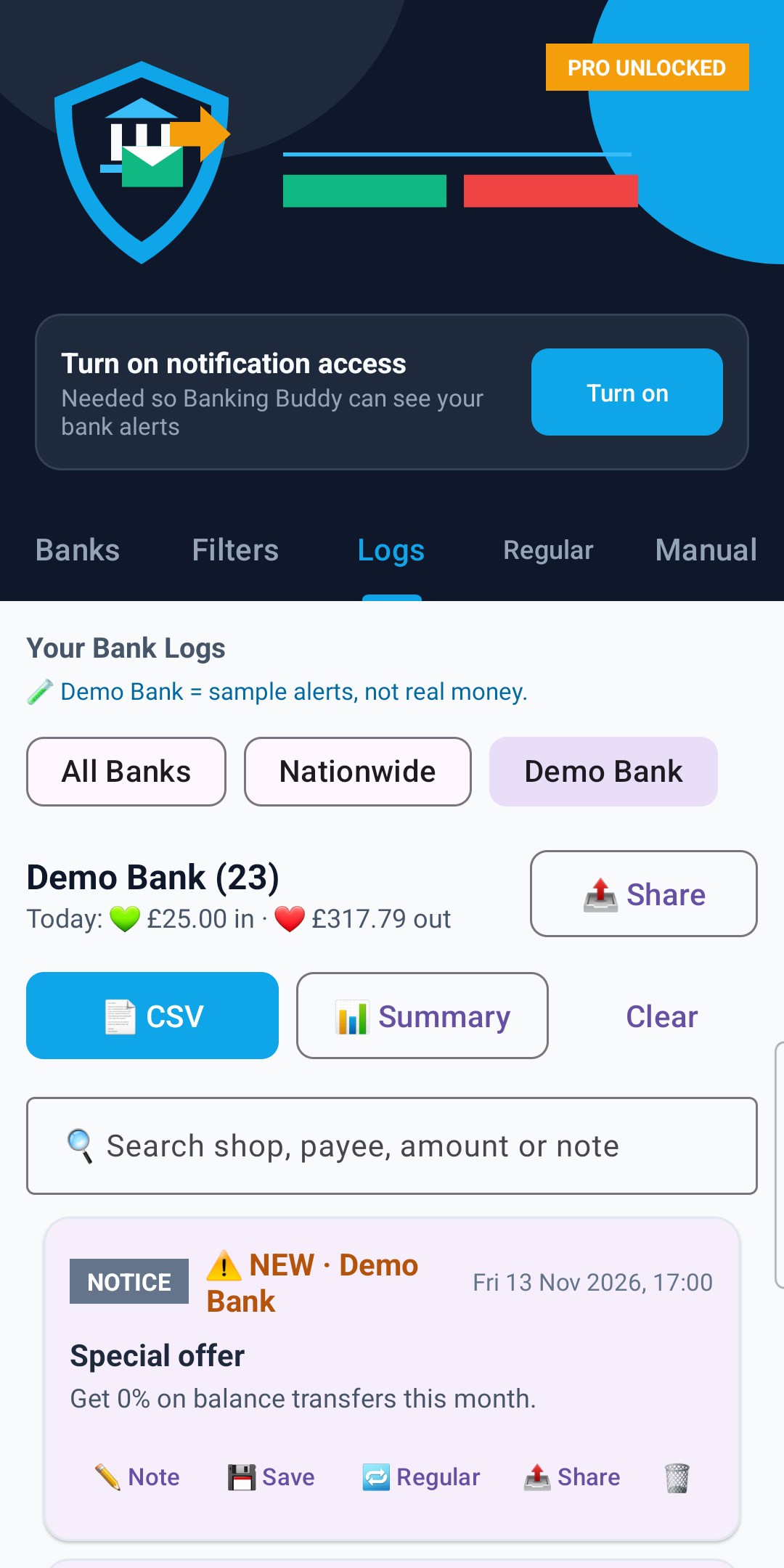
- Tap a bank name at the top to see only that bank, or All Banks to see everything.
- Under the bank name: today's money in and money out, added up from today's alerts.
- 🔍 Search: type a shop, payee, amount or note to find alerts.
- Each alert shows MONEY IN, MONEY OUT or NOTICE, the bank, the time and the bank's message.
- New alerts show ⚠️ NEW before the bank name. Once you've seen them in Logs, they count as read when you leave Logs, switch to another bank or close the app, and the ⚠️ on the Banks tab goes.
Buttons on each alert:
- ✏️ Note: add your own note. Tap a quick button (Salary, Rent, Bills, Shopping, Business, Transfer) or type your own. To remove a note, tap ✏️ Note, then Delete note (the alert is kept).
- 💾 Save: marks the alert ⭐ Saved. Saved alerts are kept when you tap Clear.
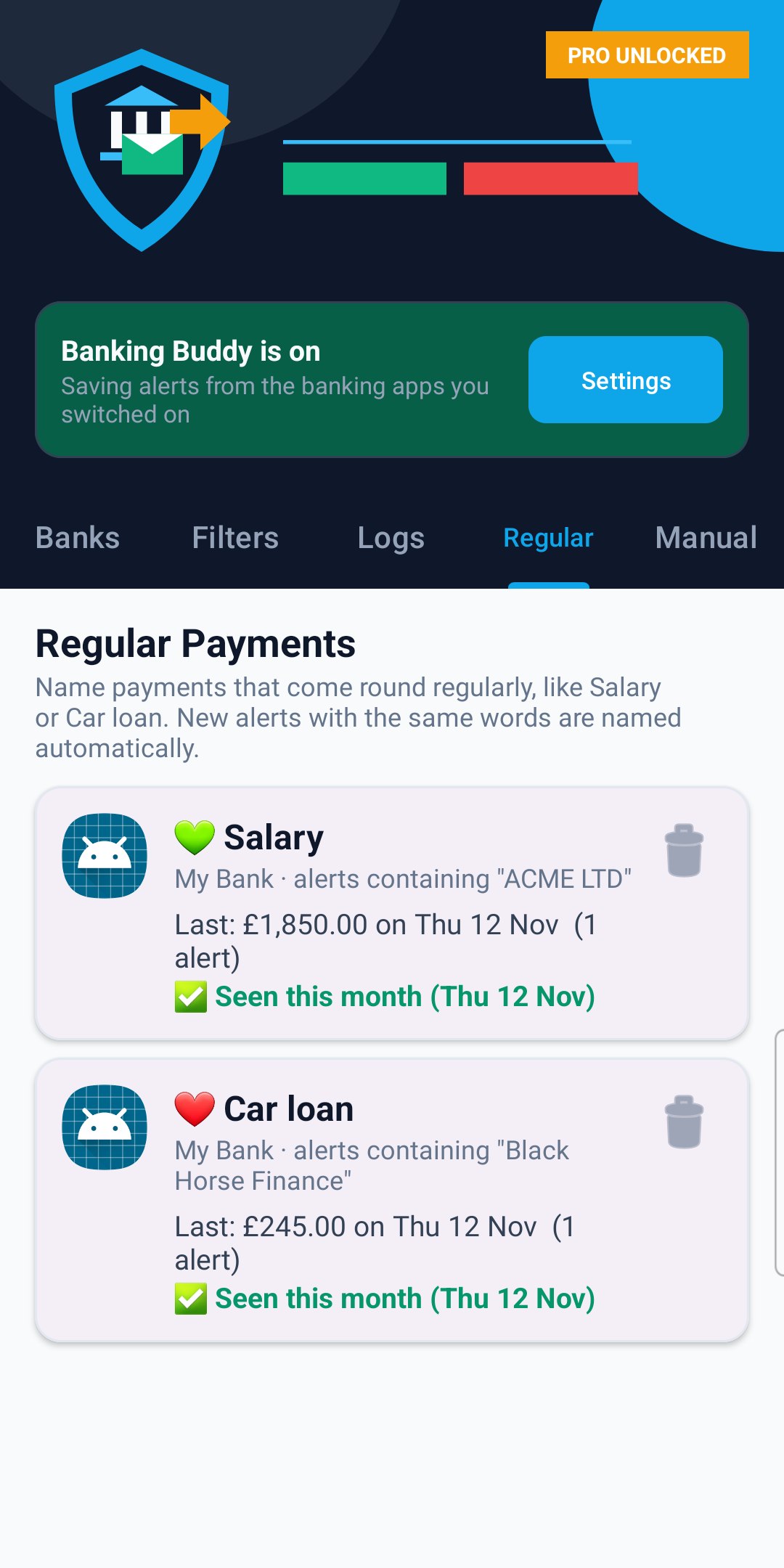
- 🔁 Regular: name a payment that comes round regularly, like Salary or Car loan (see Regular tab).
- 📤 Share: send one alert by WhatsApp, email, text or any app.
- 🗑️: delete one alert (you'll be asked first).
- 📤 Share at the top: share all the alerts shown.
- Clear: deletes the alerts of every bank, not only the bank shown, except ⭐ Saved ones.
- ⭐ CSV and ⭐ Summary: see ⭐ Pro below.
The free version shows the last 30 days (plus ⭐ Saved alerts). Older alerts stay on your phone and show again with Pro. Banking Buddy keeps up to 1,000 alerts; when full, the oldest unsaved ones are removed first.
🔁 Regular tab
Give regular payments a name, like Salary (money in) or Car loan (money out).
1. In Logs, tap 🔁 Regular on the alert.
2. Type a name or tap a quick button (Salary, Car loan, Rent, Mortgage…).
3. Check the words to look for. Banking Buddy suggests the payer or payee from the alert, for example "ACME LTD". Tap Save.
Saved alerts from the same banking app with those words are named straight away, and so are new ones. Named alerts show 🔁 and the name, and the pop-up says, for example, "💚 Salary · Nationwide".
The Regular tab lists each one with its last amount and date, and:
- ✅ Seen this month, or
- ⏳ Not seen yet this month, plus the usual day once it has been seen in 2 or more months.
This is worked out only from the alerts your phone received.
Tap a regular payment to change it; the bin deletes it (the alerts themselves are kept). The free version names 2 regular payments; Pro names as many as you like.
Pop-ups
When a new alert is saved, Banking Buddy shows a short pop-up at the bottom of the screen, for example "💚 Money in · Nationwide" and the bank's headline.
On Android 13 and newer, these pop-ups only show while Banking Buddy is closed if you allow notifications. Banking Buddy asks once, after notification access is turned on. To change it later: Settings > Apps > Banking Buddy > Notifications. Alerts are saved either way.
If a bank sends the same alert again within 2 minutes, it is saved and shown only once.
⭐ Pro
Pro is one payment for life. No subscription.
- Unlimited banking apps
- Full alert history
- Unlimited regular payments
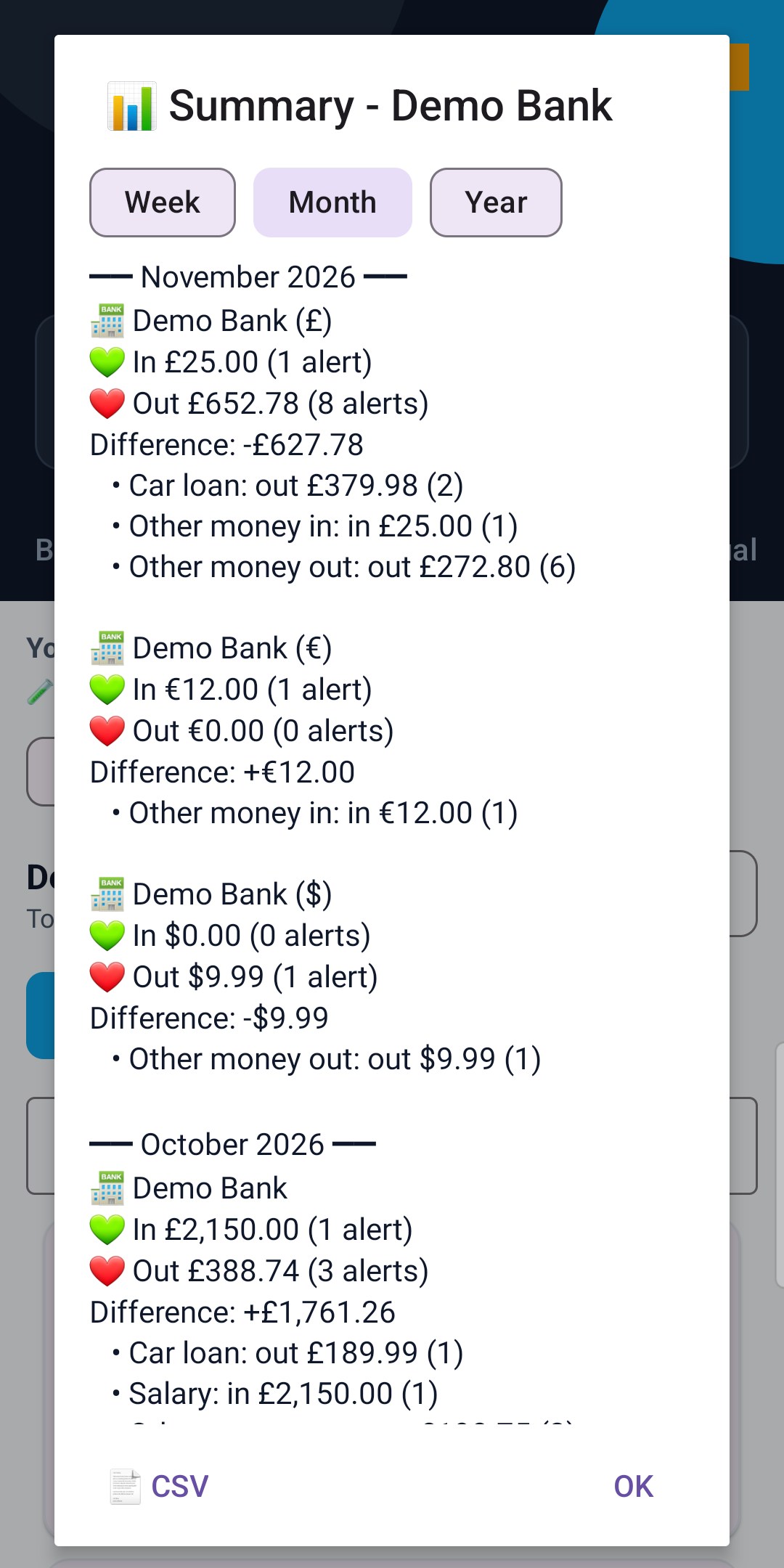
- 📊 Summary: choose Week, Month or Year. For each bank: money in, money out and the difference (in minus out), split by type: your named regular payments (Salary, Car loan…), then Other money in and Other money out. With All Banks chosen in Logs, it also shows all banks together. Different currencies are kept apart.
- 📄 CSV: first choose All banks together or one bank. The file has the Summary (every week, month and year, by bank and type, plus all banks together when chosen), then every alert with date, time, bank, type, regular name, amount (money out as minus), message and your note, for Excel, Google Sheets or your accountant.
- Totals are added up from the amounts written in the alerts. Notices and alerts without an amount aren't counted, so totals may differ from your bank statement.
Tap GO PRO at the top. Already bought it, or on a new phone with the same Google account? Tap Restore purchase.
Your privacy
- Banking Buddy only reads alerts from the banking apps you add and switch on. Notifications from every other app are ignored and never saved.
- Alerts are saved on this phone only. They are not backed up and the app never sends them anywhere. They only leave your phone when you tap Share or export a CSV.
- No bank logins, passwords or accounts are needed.
- To stop Banking Buddy reading alerts, tap Settings on the green card and switch Banking Buddy off.
Not seeing alerts?
- Is the top card green ("Banking Buddy is on")? If not, tap Turn on.
- Is the bank's switch on in the Banks tab?
- Are notifications switched on inside the banking app itself? Banking Buddy can only show alerts your bank sends.
- Are your Filters switching that kind of alert off?
- Free version: only 2 banking apps are read.
About
Banking Buddy v1.5 (Build 6)
⚡ WHY BANKING BUDDY
Banking Buddy keeps the money in / money out alerts from all your chosen banking apps together in one list, on your phone.
| Feature |
Opening each banking app |
Banking Buddy |
| Alerts from all your banks in one place |
One app at a time |
One list, with a filter for each bank |
| Your own notes on payments |
Depends on the bank |
✏️ Note on any alert |
| Named regular payments (e.g. Salary, Car loan) |
Depends on the bank |
🔁 Regular tab: last amount and "seen this month" |
| Week, month and year totals for each bank and all banks together |
One bank at a time |
📊 Summary (Pro): money in, money out and the difference, by type |
| New alerts you swiped away |
Gone from the notification bar |
⚠️ New on the bank's card until you've seen them in Logs |
| Bank logins needed |
Yes, for each app |
None: it reads the alerts your banking apps already show |
⚠️ IMPORTANT DISCLAIMER
- Banking Buddy is not a bank and is not connected to any bank. It only shows the notifications your banking apps send to this phone.
- Money in / money out, amounts and totals are read from the text of those alerts, so they may differ from your bank statement. Always check your banking app or statement for your real balance.
- Banking Buddy is not affiliated with any bank. Bank names and icons shown in the app belong to their owners and come from the apps installed on your phone.
Screenshots show test alerts from a sample "My Bank" app and the built-in Demo Bank (sample alerts, not real money), with Pro switched on.