📖 Phone Check Buddy Manual
How Phone Check Buddy works, step by step
What Phone Check Buddy does
Phone Check Buddy helps people buy and sell used phones with confidence.
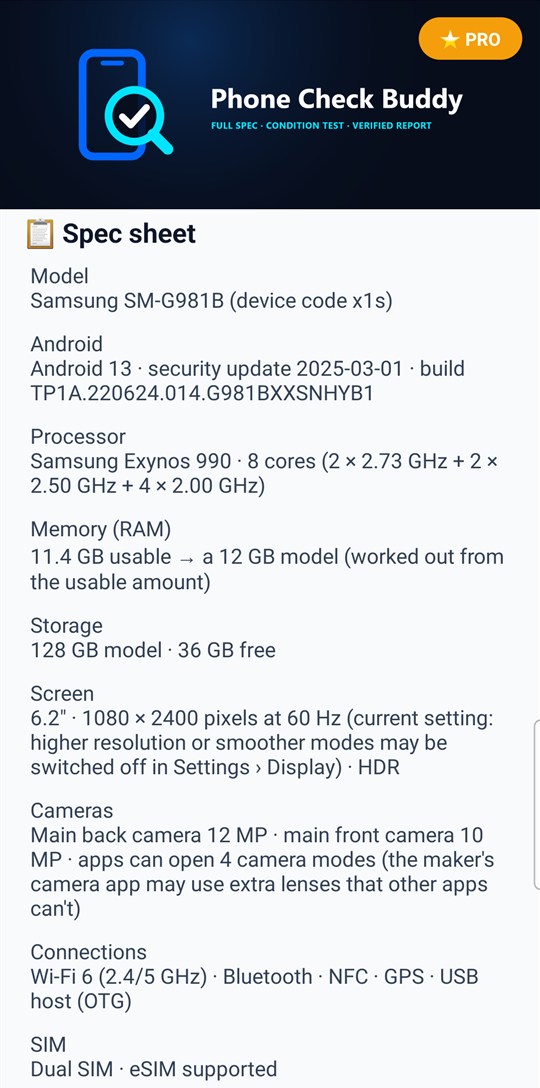
- Spec sheet: the phone's model, Android version, processor, memory (RAM), storage, screen, cameras, connections and SIM, read from the phone itself.
- Condition test: speaker, call earpiece, microphones, vibration, cameras, sensors, battery, GPS, Bluetooth and more, measured by the phone.
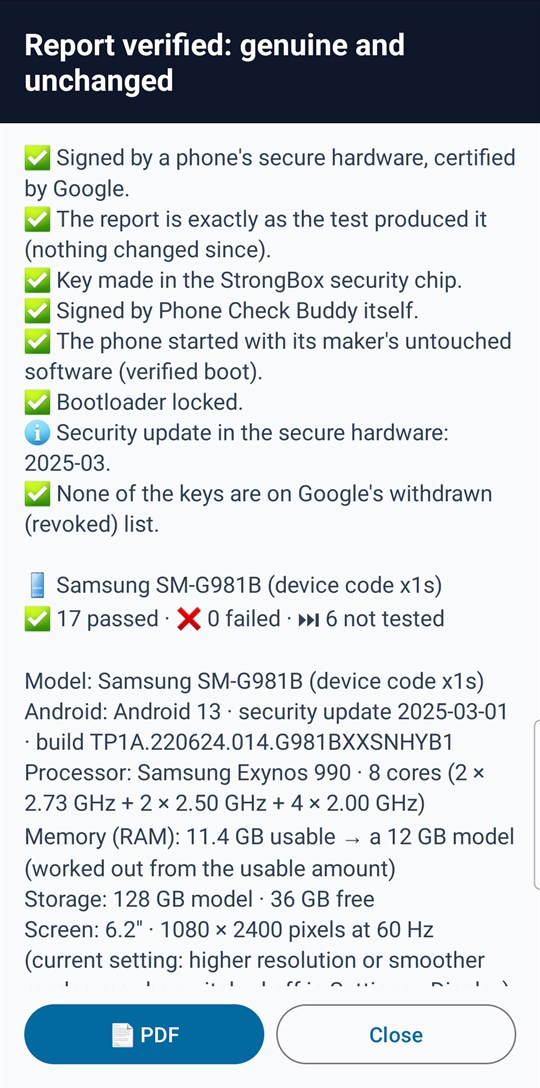
- Verified report: the results are signed inside the phone's security chip and checked against Google's certificates, so anyone with the code can see the report came from that phone and hasn't been changed.
🛒 Checking a phone
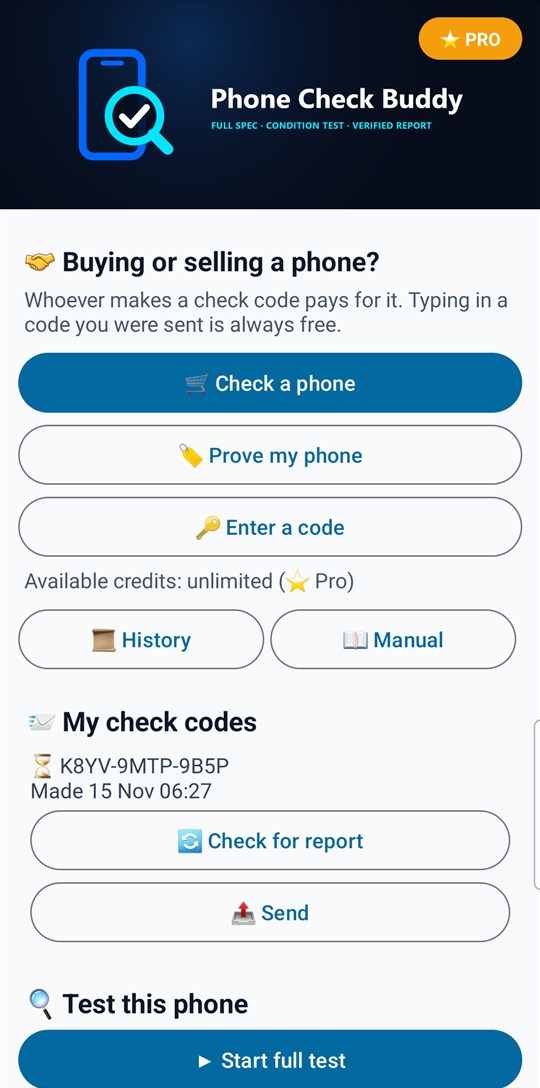
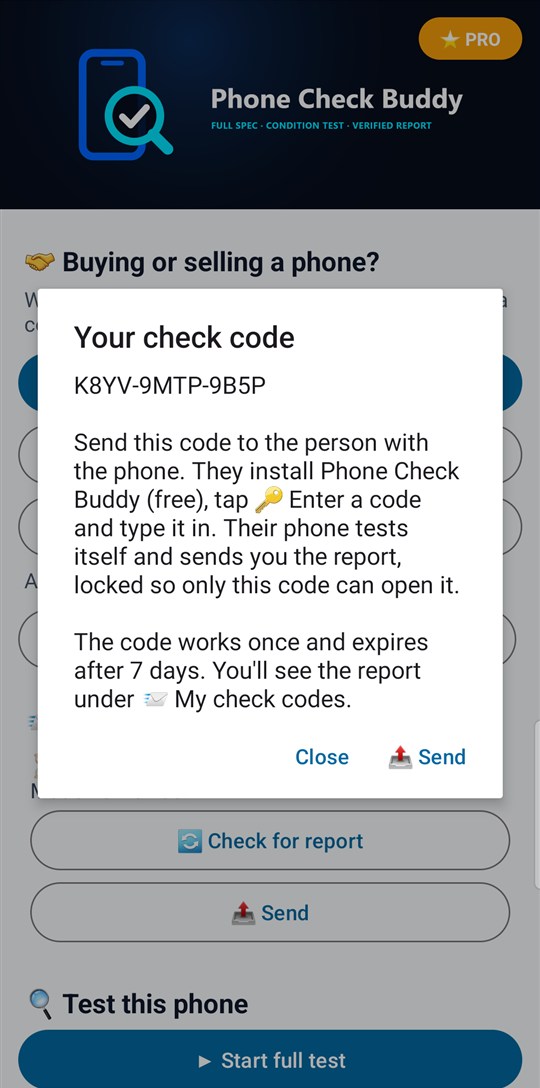
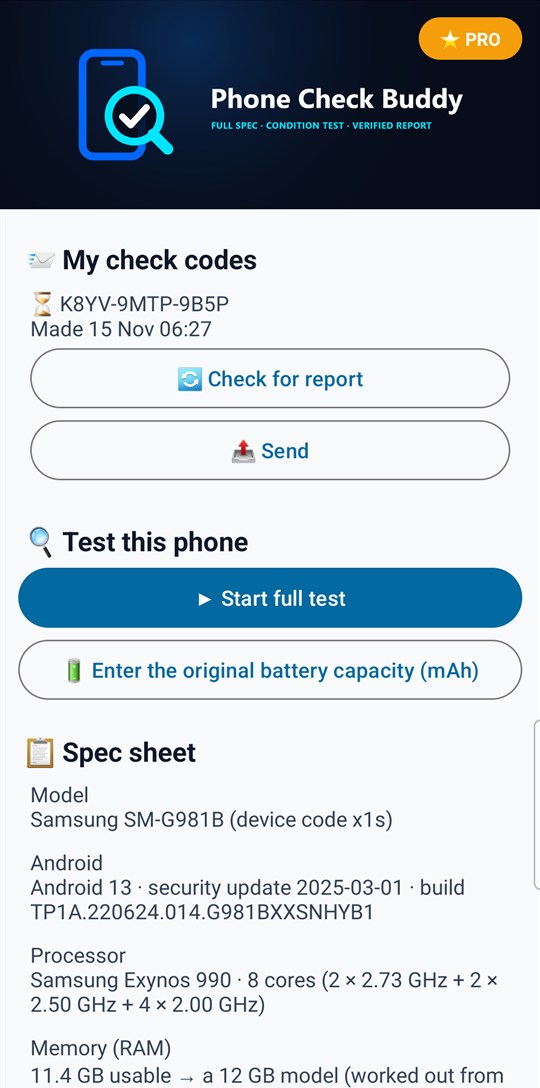
1. Tap 🛒 Check a phone. You get a check code such as 7K4M-29QX-D3HZ.
2. Tap 📤 Send to share it by text, WhatsApp, email or any marketplace message.
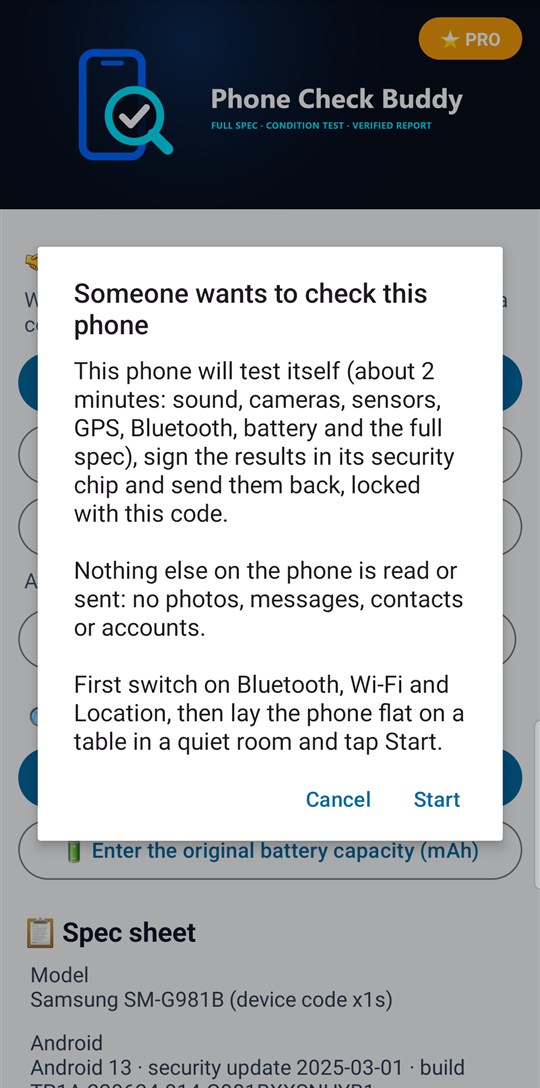
3. The person with the phone installs Phone Check Buddy (free), taps 🔑 Enter a code and types your code. Their phone tests itself in about 2 minutes and sends the report.
4. The report appears under 📨 My check codes on your phone. Tap 📋 Open report.
Reports arrive when you open the app, or tap 🔄 Check for report.
🏷️ Proving your own phone
1. Tap 🏷️ Prove my phone.
2. Switch on Bluetooth, Wi-Fi and Location, lay the phone flat on a table in a quiet room and tap Start. The test runs by itself.
3. You get a code. Tap 📤 Send, or put it in your listing.
4. Whoever has the code types it into Phone Check Buddy (free) and sees the verified report.
🔑 Entering a code
Typing in a code you were sent is always free.
- If the code was made with 🛒 Check a phone, your phone runs the automatic test and sends the report back.
- If the code was made with 🏷️ Prove my phone, you see that phone's verified report.
Codes have 12 letters and numbers. The letters O, I and L and the numbers 0 and 1 are never used, and a mistyped code is caught straight away.
What the automatic test checks
When a phone answers a check code, these steps run by themselves:
- Reading the phone: spec sheet, battery, security, parts, Wi-Fi, mobile network and sensors.
- Loudspeaker and call earpiece: a tone is played and measured by each microphone.
- Vibration: measured with the motion sensor while the phone lies still.
- Cameras: each camera is opened and its picture checked. While the phone lies on its back, the back cameras face the table: they are shown as working but not judged (ℹ️), not as failed.
- GPS: waits up to 60 seconds for a satellite position.
- Bluetooth: listens for nearby devices for up to 10 seconds.
If Android asks for a permission (microphone, camera, location, nearby devices), tap Allow, or that step is shown as not tested.
The hands-on tests (flashlight, proximity sensor, touch screen, screen colours, buttons and charging) need a person, so a report made by answering or proving with a code lists them as not tested.
Reading a report
✅ passed · ❌ failed · ℹ️ information · ⏭ not tested.
Each result says how it was obtained: measured (by the phone's sensors and the app's tests), read from the phone, or confirmed by the person testing (things only a person can see, such as screen colours, in the full test).
At the top, the verification says:
- Signed by a phone's secure hardware, certified by Google.
- The report is exactly as the test produced it.
- Whether the phone started with its maker's untouched software and has a locked bootloader.
- Whether the keys are on Google's withdrawn (revoked) list (checked online).
If the report was changed, wasn't signed by a real phone's security chip, or its keys were withdrawn, the report isn't shown at all, because its contents can't be trusted. A phone with modified software or an unlocked bootloader still gets its report, with a ⚠️ or ❌ warning at the top.
Tap 📄 PDF to save or share the report as a PDF.
🔍 Testing this phone yourself
▶ Start full test runs every step on this phone, including the hands-on ones: flashlight, proximity sensor, touch screen, screen colours, buttons and charging. The results appear under 🔍 Condition test.
🔋 Original battery capacity: Android doesn't tell apps the battery's original size. Enter it from the box or the maker's specification (for example 4000 mAh) and the battery health is estimated from it.
Paying for check codes
Whoever makes a check code pays for it. Typing in a code you were sent is always free.
- Buy 1 credit (one phone test): makes one check code. A single payment through Google Play.
- Buy Pro (unlimited credits): one payment for unlimited check codes, for people who buy and sell phones often. No subscription.
A credit is only used up once a check code has been made with it. You can have one unused credit at a time. Pro, or a credit you paid for but haven't used, comes back by itself when you open the app on this or another phone with the same Google account.
📜 History lists everything done on this phone, newest first: credits and Pro bought (with your available credits, and the codes made with each listed underneath: tap a code to send it again), reports sent and received, and codes that expired. Tap 📋 Open report to see a report again. 🗑 deletes a line from History; any code in it still works. History is kept on this phone only. 📨 My check codes on the main screen shows your newest code that hasn't expired; earlier ones are in 📜 History.
Privacy
- The test reads the phone's hardware and settings only. It never reads photos, messages, contacts, accounts or files.
- A report only leaves the phone when you answer or make a check code. It is locked with the code before it is sent, so the check service can't read it.
- A report is deleted from the check service as soon as the code is used, and can't be opened after 7 days.
- Full test results and received reports stay on this phone.
- No account, no ads and no tracking.
What Phone Check Buddy can't check
- Android doesn't let apps read the IMEI, so it can't check whether a phone is reported lost or stolen, or blocked by a network. Check the IMEI with the network or a checking service.
- It can't see inside the phone: water damage or replaced parts can't be detected.
- Battery health is an estimate worked out from Android's figures and the original capacity you enter.
- Results confirmed by the person testing depend on what they saw or heard.
About
Phone Check Buddy v1.2 (Build 3)
Publisher: AppStack Studio
Support and privacy: daverimmeruk.github.io/appstack-studio/phone-check-buddy/
⚡ WHY PHONE CHECK BUDDY
Buying a used phone means trusting a stranger's description. Phone Check Buddy lets the phone describe itself: its full spec and a measured condition test, signed in its own security chip so the report can't be faked or edited.
| Feature |
Typical phone-test apps |
Phone Check Buddy |
| Can the results be trusted? |
Screenshots, easy to edit |
Signed in the phone's security chip and checked against Google's certificates: a changed report is refused |
| Checking a phone from a distance |
Usually not offered |
Send a check code: the other phone tests itself and sends you the report |
| Modified or rooted phones |
Rarely shown |
Verified boot and bootloader state from the security chip |
| Speaker and microphones |
"Did you hear it?" |
A tone measured by each microphone, in dB above room noise |
| Exact spec |
Often the current setting only |
Chip name, core speeds, RAM and storage size of the model, screen, cameras, Wi-Fi standard, SIM |
| Report to keep |
Often not offered |
📄 PDF condition report |
| Ads and tracking |
Common |
None |
⚠️ IMPORTANT DISCLAIMER
- Phone Check Buddy reports what the phone's own hardware and Android tell it, and what its tests measure at the time of the test.
- It can't check the IMEI, so it can't tell whether a phone is lost, stolen or blocked by a network: check the IMEI with the network or a checking service.
- Battery health is an estimate. Results confirmed by the person testing depend on what they saw or heard.
- A verified report proves the report came from that phone and wasn't changed. It doesn't guarantee the phone's future condition.
Screenshots taken on a Samsung Galaxy S20.